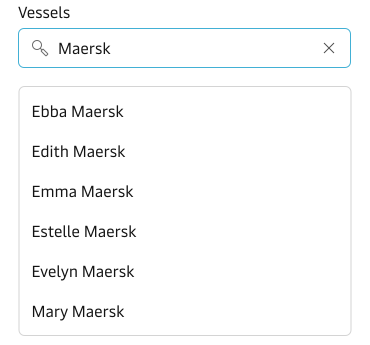
Typeahead Multi-Select
Best practice
- Use Typeahead Multi-Select in cases where the user can select multiple options from a large data set.
- For shorter and simpler lists, consider using the Multi-Select component.
- Account for common misspellings and typos to assist users with finding the relevant results.
- Use usage data to help rank relevant results for the user in the future.
- If data shows that the users repeatedly use the same search queries, then expose the recent searches.
- For info on label, placeholder, help and error text – see the Input Component best practice.
Both components allow users to search and select multiple options from a list, but they serve different use cases and user behaviours. Read about the differences in the Selection Components Guidelines.
Usage
Typeahead Multi-Select is best used when you want to assist people in finding specific information from a large set of data. The autosuggestions assist the typing process and help people narrow down the available options.
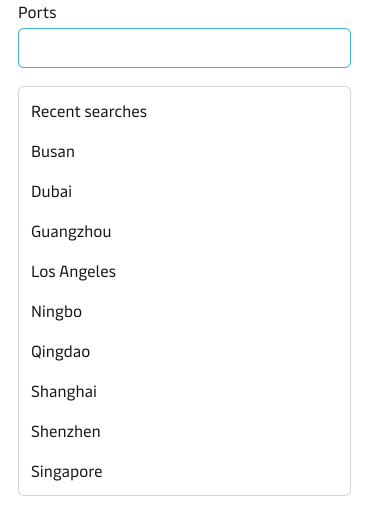
Recent searches
It is possible to display a list of recent search queries when the user clicks into the input, before the user starts typing. This is valuable in cases where you know, based on usage data, that the users repeatedly use the same search queries.
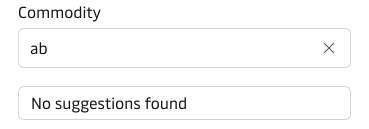
No suggestions found
In cases where there is no matching value in the data set to the typed search query, the typeahead returns “No suggestions found”. The user can, of course, quickly modify the query and get another result.
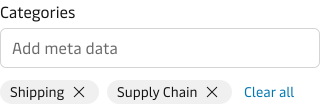
Tags
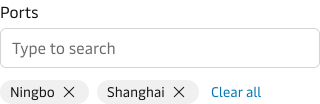
The selected options are displayed as tags below the input. This way the user can easily see which options that has already been selected. When the user has selected more than 2 options, then a “Clear all” button is shown after the tags. This makes it easy for the user to remove the selected options e.g. in a filtering scenario where you quickly want to reset the filters.
Free text tagging
In code you can also enable free text tagging, which makes it possible for the user to create their own tags not just selecting from existing options. This can be used in cases where user-generated metadata is needed e.g. custom labels, tags for articles or blog posts.