Date Range
Lets users pick a range of dates.
Best practice
- Make it clear what kind of date format you are asking for e.g. YYYY-MM-DD or DD-MM-YYYY
- Use min and max dates to help prevent user error. The selectable date should be realistic for the context and application capabilities
- Display only week numbers in the calendar popover when the context requires it and when users expect to see them by default.
- For labels use natural language and use the terms that the user would expect.
- The label should describe what to input and not how.
- Don’t use verbs like enter, add, input etc in the label.
- Don’t add a colon ( : ) at the end of the label.
- Use the hint text if additional context and explanation are needed.
- Error messages should be clear, concise and provide actionable remedies to resolve the errors.
We recommend that you read our Form Guidelines. The Guidelines cover many basic recommendations to be taken into consideration when working with forms.
Orientation
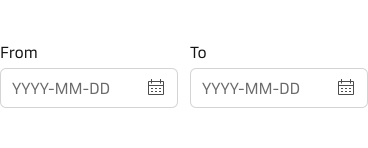
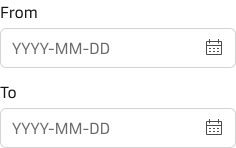
By default, the component is responsive and adapts to the immediate container it is placed within, but it is also possible to force either horisontal or vertical orientation.
Date format & placeholder text
The placeholder texts should communicate which date format the component accepts. Do not use placeholder texts to replace labels.
The date format can be changed to meet local requirements and user expectations. As default, the component uses the ISO standard: YYYY-MM-DD (Year-Month-Day).