Breadcrumb
Best practice
- Use breadcrumbs to give context and help users navigate.
- All breadcrumbs items except the current page should be clickable links.
- Use concise and descriptive link text for each level in the breadcrumb.
- Avoid using dynamic or changing breadcrumbs, since it can confuse users.
- Use truncation if the breadcrumb has more than 5 levels.
- The breadcrumb should never wrap to the second line.
- Place the breadcrumb consistently on each page across the website or application.
- Don’t use a breadcrumb for simple and flat hierarchies e.g. a 2 level hierachy.
Usage
Breadcrumbs should provide context and an easy way for users to navigate up the site hierarchy. They are not intended to replace primary navigation but to enhance the user’s understanding of where they are within the website or application. Use a breadcrumb for applications with a hierarchy of more than 2 levels.
Placement
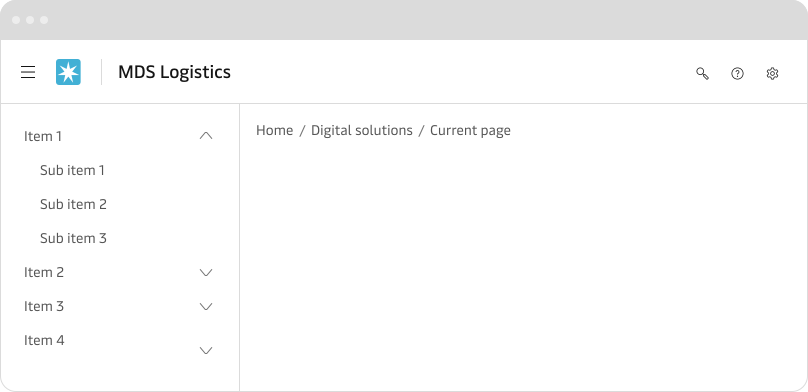
Always place the breadcrumb horizontally and at the top of the page. If possible place the breadcrumb above the page title or primary content and below the global navigation or header. Always place the breadcrumb at the same position on each page across the website or application. By doing so we ensure that the user can find the breadcrumb easily.
Writing link text
To make it as easy as possible for the user to understand and navigate through the breadcrumb each link text should be short and consise.


Home icon
As default, we recommend using text for “home”, but it is possible to use a home icon (house icon) instead. If home is the current page, then it is not a link, but in all other cases, it is an interactive link.


Current page
As a default, the current page is a part of the breadcrumb. It is not an interactive link, but normal text. It is possible to remove the current page so that the previous page is the last item in the breadcrumb. This might be useful where you have the page title just underneath the breadcrumb as a natural extension of the breadcrumb.
Depth & truncation
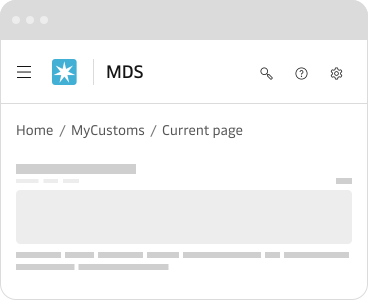
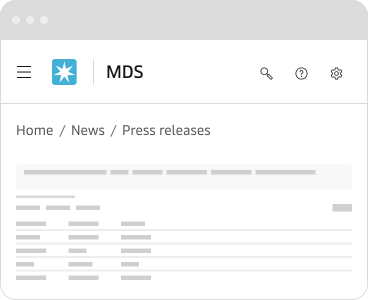
It is recommended to limit the breadcrumb to 3-5 levels. If the website or application has a deeper hierarchy or is too long, then use truncation. Displaying more than 5 levels will make it hard for the user to comprehend the structure and in most cases there also starts to be a problem with space.
When truncated the breadcrumb only shows the first and the last two levels and the levels in between is replaced by an ellipsis.


Mobile & responsive design
On mobile (breakpoint x-small), we have to take extra care, since the space is limited and the breadcrumb might wrap and take multiple lines. This should be avoided and in such cases, it is recommended to use truncation and also check if the link texts can be done shorter without losing their meaning.
Canonical URLs
A canonical URL is the URL of the best representative page from a group of duplicate pages. For example, if you have 2 URLs for the same page – example.com?dress=1234 and example.com/dresses/1234 – then Google chooses one as canonical.
Breadcrumb should reflect the same hierarchy as your canonical URLs. In other words, if you have multiple URLs pointing to the same page e.g. through parameters or dynamic URLs, then make sure that the canonical version is the URL used in the breadcrumb. This helps prevent SEO issues caused by duplicated content.
An example of this could be pages that differ only by the sorting or filtering of the content e.g. sorted by lowest price. Google will group these slightly different pages and make the most representative page the canonical URL.