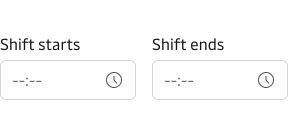
Input Time
Best practice
- Make it understandable what time is being picked. Good labels and hint text can help to do that.
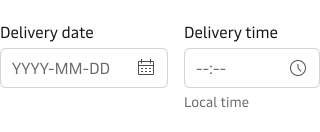
- Combine input time with an input date when you want to relate time to a specific date.
- Help the user understand what time zone the selected time value belongs to.
- Consider providing less granularity for the minutes in the input time (default 00 to 59). For example, quarter-hour intervals (00, 15, 30, and 45).
- Aim to use the default 24-hour format since it is widely used in Logisitcs industry.
- Use natural language and use the terms that people would expect for label and hint text.
- Don’t use verbs like enter, add, input, etc in the label.
- Don’t add a colon ( : ) at the end of the label.
We recommend that you check out the Forms and Date & Time guidelines to help you design and develop good experience for the people using your product.
Label
By default, the component has a top-positioned label. It is possible to change the position of the label to be left-positioned. We recommend that you use the top-positioned labels wherever possible, especially in forms. You can read more about why we recommend top-positioned labels in our form guidelines.
For information on how to write good and consistent labels - see our Label Guidelines.
Hint text & error state
Please see the Input component for details on hint text and error state.
Vanity variant
The component supports the “vanity” style variant.
Please read more about this variant on our form guidelines page.
Examples
Common scenarios of how this component could be used.
Date and time together
The following example uses the input date component for date and time input.
Time Range